Your plan, at a glance
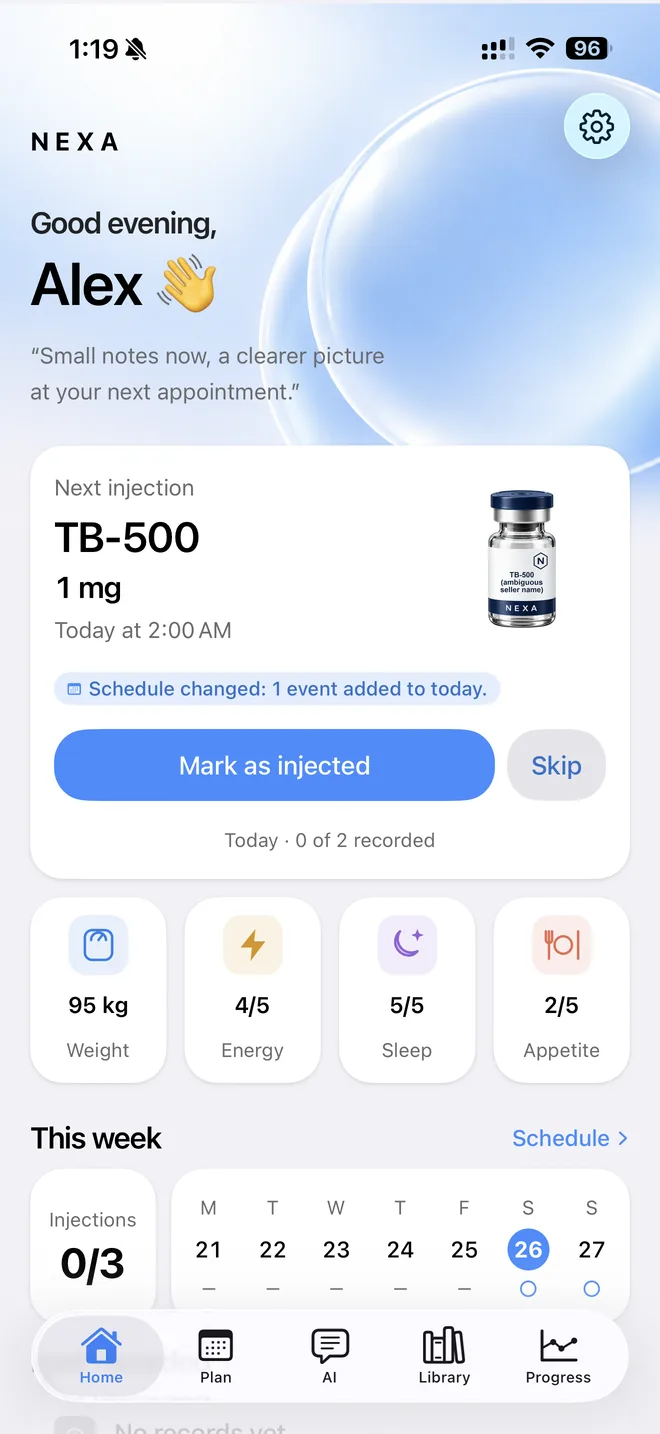
Enter the schedule you were given and see today, the week and a month calendar. When a plan changes, the old version stays in its history.
 NEXA
NEXAYour plans, what you actually logged, your supplies and how you feel — kept separate, accurate and private, with reports you can take to your doctor.
A personal journal, not medical advice.
Features
Plans, records, supplies and check-ins stay separate, so you can always tell what you meant to do from what you did.
Enter the schedule you were given and see today, the week and a month calendar. When a plan changes, the old version stays in its history.
Record what you took and when, with notes if you want them. Edits and voided entries keep a trail, so your record stays accurate.
Reminders are scheduled on your phone and never name what you take — so a notification on a lock screen says nothing it shouldn't.
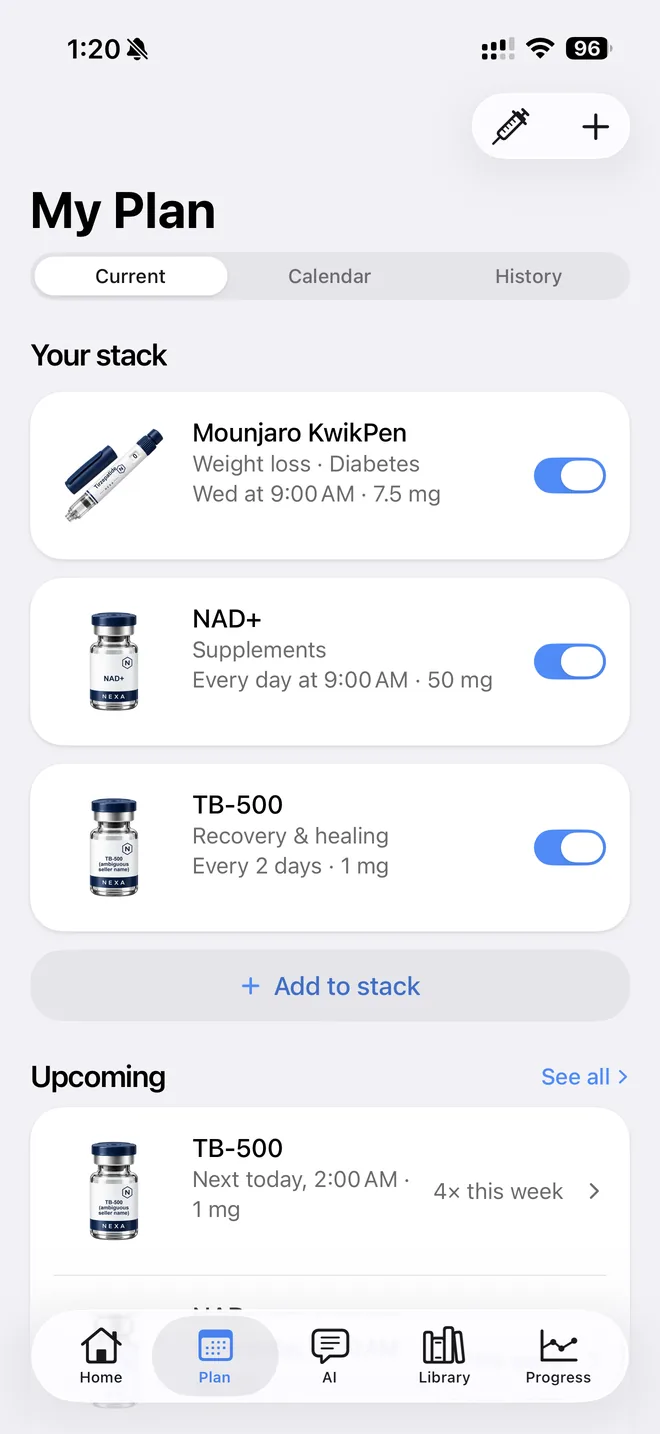
Enter the schedule you were given and My Plan keeps your whole stack in one place: each item with its schedule and supply, a switch to pause it, what's coming up this week, a month calendar and the full history. When a plan changes, the old version stays in its history.
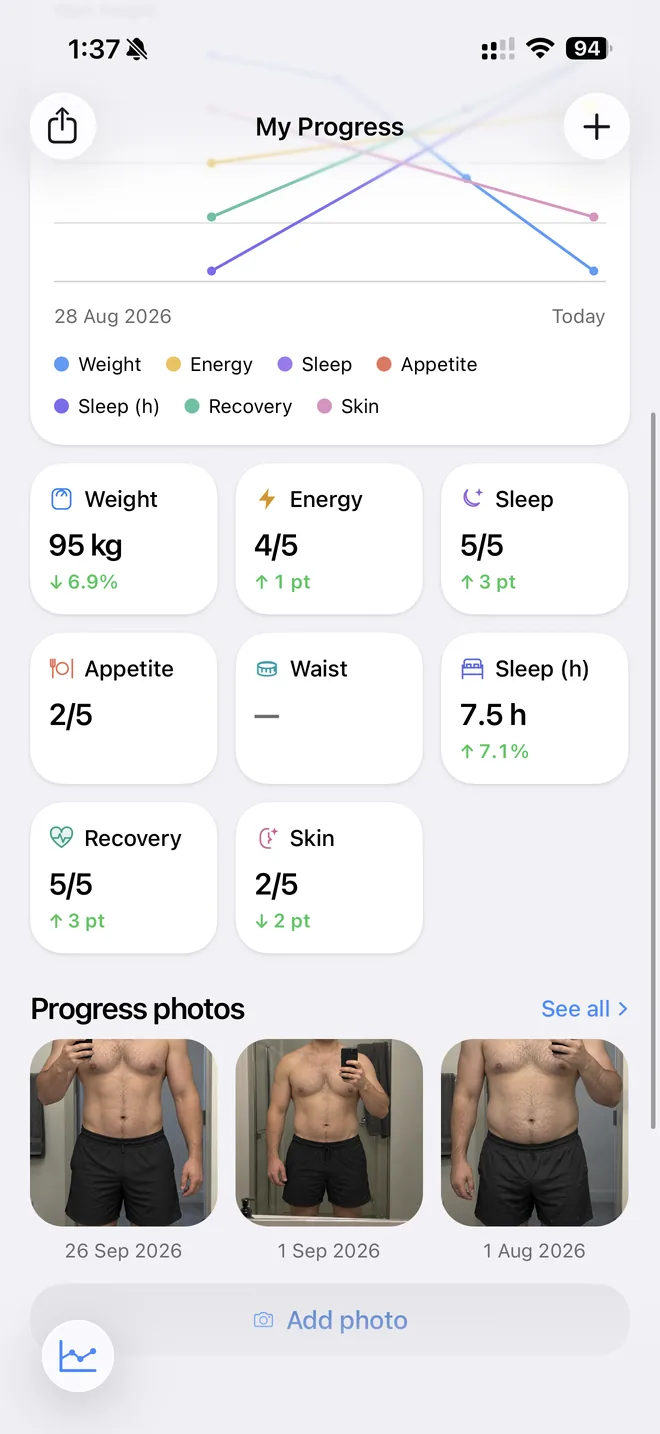
Every check-in on one chart — weight, waist, sleep, energy and more — over a week, 30 days, 90 days or a year, with how each one changed and your progress photos side by side.
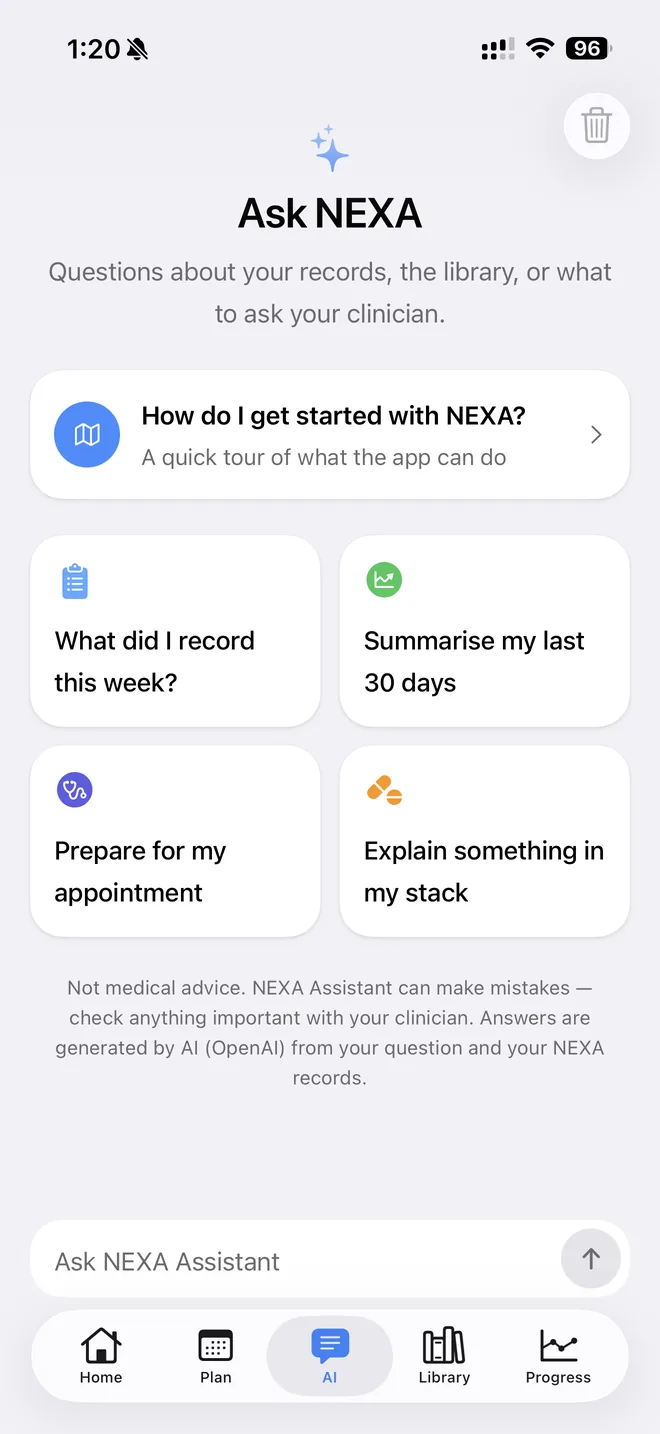
“What did I record this week?”, “Summarise my last 30 days”, “Prepare for my appointment” — Ask NEXA answers from your own records and the library, with sources. It's off until you allow it, and never medical advice.
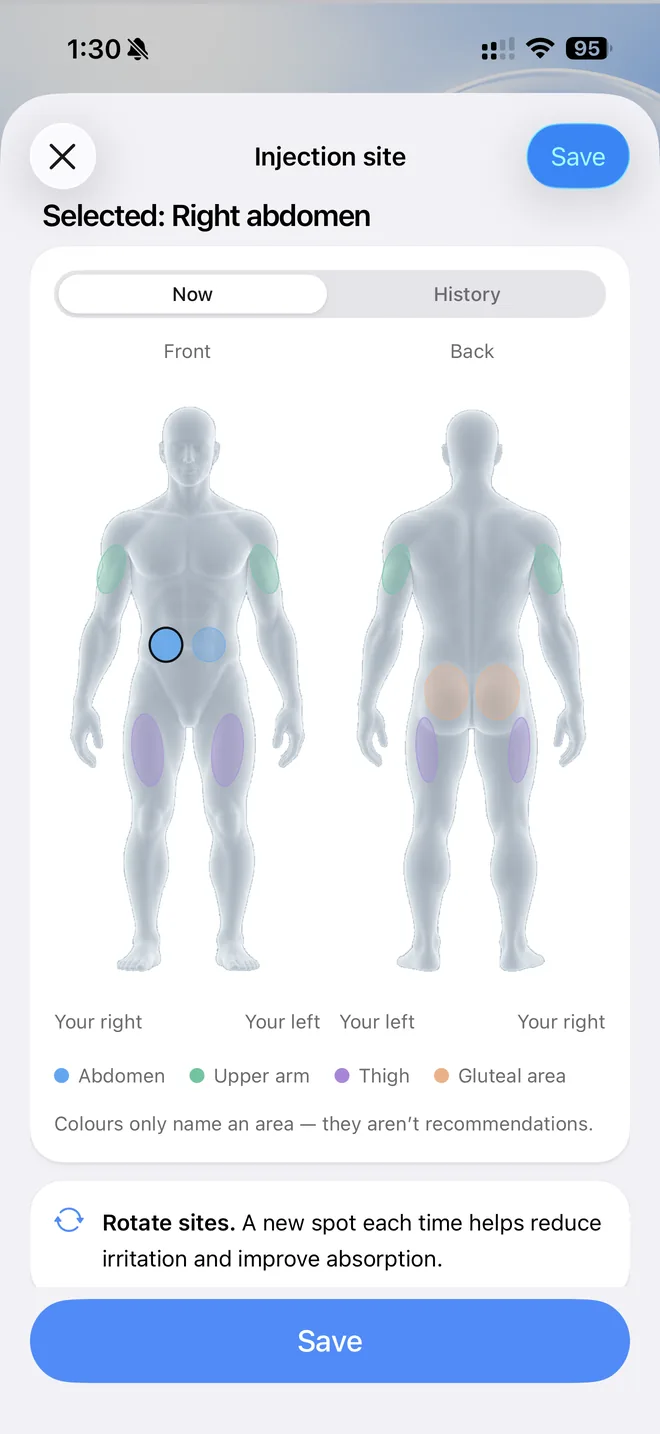
Log a planned time in one tap, say how sure you are of the time, and note where on a body map if you want to — NEXA only records, it never suggests. An amount you leave blank stays “not entered”, and every edit keeps a trail.
And more
Supplies on hand, questions about your own records, and a library to look things up.
Keep each item's packages and quantities in one place, with lot and expiry details if you want to record them.
Ask questions about your own records and get answers with their sources — only after you allow the assistant, and never as medical advice.
Search ingredients and products, read articles, and save what you want to follow.
How it works
The items you take, the plans you were given, and the supplies you have on hand.
A quick entry when you take something, and check-ins for how you feel, measure and look.
Progress over time in one place, and a report you can take to your next appointment.
All 60 features
Every feature in the app today: your stack, plans, logs, check-ins, supplies, reports, the library and Ask NEXA.
Search to add an item. Search one field by ingredient or brand, or browse the catalog before typing; picking an entry fills in brand and form, while strength still comes from your label.
Add anything manually. Not in the catalog? Type it from your label; it's kept as a private item marked "Not verified in catalog".
Label details per item. Record form (pen, vial, tablet, capsule, oral solution…), strength, brand, source and route as entered.
Item page with everything linked. One page per item shows its label details, supplies, plans and full log history.
Edit without rewriting history. Change an item's name or strength; past records keep what they were saved with.
Archive and restore items. Take an item off your active stack without losing its history, and bring it back later.
Enter the schedule you were given. Every day, chosen weekdays, every few hours or days, or one time; multiple times per day, start and optional end date, optional dose.
Plan versions kept. Editing a plan applies from now on; earlier versions stay in its history and old records keep the plan they belonged to.
Pause, resume or end a plan. A switch per item on My Plan pauses it; resume after review, or end it.
Today on Home. A card with today's next planned time and how much of today is logged, a "Not logged yet" list for passed times, and the last record.
Week strip and month calendar. See each day's progress as text, tap any day to see what it planned and what was logged.
My Plan tab. Current (your stack with each schedule and supply, plus the next seven days), Calendar and History views.
Skip a planned time, with undo. Mark a time as skipped by you; undo puts it back. A passed time with no record shows "Not logged yet", never counted as taken.
Time zone and clock-change handling. Plans keep the time zone they were made in; daylight-saving gaps are flagged "check this time"; Settings shows a time zone mismatch.
Log in one tap. "Log dose" saves the planned time with the dose and supply from your plan; pick a different time if needed.
Log anything, planned or not. The log sheet lets you choose any item in your stack, not only scheduled ones.
Unknown dose stays unknown. Leave the amount blank and it's recorded as "Dose not entered", never as zero.
Time precision. Mark a log as exact, within the hour, only the day, or time not sure.
Edit trail on every record. Edits keep a revision history with a reason; "Remove" keeps the log as removed and leaves it out of totals and reports.
No double entries. Each save carries one command ID, so a retried save never records twice; duplicates for one time are flagged, not merged.
Measurements and ratings. Weight, waist and sleep hours, plus 1–5 ratings for sleep quality, energy, appetite, perceived recovery and skin dryness/irritation, each with plain-language labels.
Your check-ins on Home. Tiles for up to four check-ins you chose show the latest value; tap to add one.
Symptoms in your own words. Describe it or pick a common one, rate how much it affects you (mild/moderate/severe), set when it started, optionally link it to a stack item, mark it resolved or ongoing.
Journal notes. Short private notes, deletable with a long press.
Private progress photos. Take or choose a photo with its date and a note; stored in private storage only your account can reach.
Metric and imperial units. Body measurements in kg/cm or lb/in; dose amounts always keep the unit on your label.
Progress tab. Overview, Symptoms, Notes and Photos in one place.
All check-ins on one chart. Pick 1 week, 30 days, 90 days or 1 year; each line on its own scale, with a legend that hides or shows lines.
Change over a period. Each metric tile compares the first and last entry in the period, and says when there aren't enough entries.
Metric detail. Latest value, chart for a chosen period and every entry, with delete.
Compare two photos side by side. Select any two journal photos to view them uncropped at the same ratio.
Packages per item. Add each pen, vial or pack with its strength, quantity (count or volume), lot, expiry as printed and opened date.
Estimated amount left. Logs linked to a supply update an estimate; My Plan shows what's left in the one in use.
Ledger with reasons. Correct the count or record waste with a reason; every change is listed in the supply's ledger.
Supply status. Mark as opened (in use), empty, discarded or archived; packages past their printed expiry or with a negative estimate are labelled for review.
Doctor report as PDF. Summary (one to two pages) or Full (every selected log), previewed before sharing through the iOS share sheet.
CSV export. One zip with a file per table (logs, plans, planned times, measurements, scales, symptoms, photos list) and a manifest.
Choose period, items and sections. 30, 90, 180 days or all; pick stack items; toggle plans, logs, unrecorded times and skips, site history, supply, measurements, symptoms.
Private by default. Notes, photos and your name are off unless you switch them on; reports are created on the iPhone.
Questions about your own records. "What did I record this week?", "Summarise my last 30 days", "Prepare for my appointment"; answers read only your own records.
Answers with sources. Library-based answers link the articles or entries they used.
Note drafts you review. The assistant can draft a journal note; you edit and save it yourself, and it's labelled "Drafted with assistant".
Ask from anywhere. An ask bar on Home with example questions, and a question menu on each library entry.
Follow-up suggestions and app help. Up to three suggested follow-ups after an answer; ask how to use NEXA.
Consent first, off anytime. A screen shows what is sent, to whom and why before anything is sent; turn it off in Settings; clear the conversation.
Catalog of ingredients and products. Search or browse; filter by category, peptides only, has products, saved, following.
Ingredient pages. What it is, what it does, studies in people (with participant counts), also-known-as and look-alike names, where it's sold, safety notices and sources.
Regulator decisions by market. Product status in your market and others.
Articles (Learn). Guides showing author, reviewer, publish and next-review dates; the latest two appear on Home.
Save and follow. Bookmark entries and articles; the Updates tab collects published official notices for what you saved, with a link to the source.
Per-plan reminders. Turn on reminders per plan; they're scheduled on the iPhone up to two weeks ahead.
Neutral lock-screen text. Reminders never name what you take, doses or symptoms.
"Mark as taken" from the notification. Logs that exact planned time; already-logged times clear their reminder.
Sign in with Apple or email. Account required; data is available on any iPhone you sign in to.
Personal setup. Onboarding asks 16 questions (goals, focus, forms, timing, check-ins) with sourced insight pages, then sets Home's order, check-ins and default plan time; every answer is editable in Settings.
Getting-started checklist. Add an item, set a schedule, allow notifications, first log, first check-in; can be shown again from Settings.
Export and delete your account. Settings → Export my data; Settings → Delete account removes everything (Apple accounts re-confirm with Apple).
Adults only. An 18+ confirmation at the start; under-18s get no tracking.
Subscription. Monthly or yearly with a free trial when eligible; restore purchases and manage in Apple ID settings.
Light and dark mode, native iOS. Follows the system appearance; native tabs, sheets and haptics; status always shown as text plus icon, with VoiceOver labels. (userInterfaceStyle automatic).
FAQs
Answers to what people ask most about NEXA: what it does, what it doesn't, your data and your subscription. Can't find yours? Write to us.
No. NEXA does not prescribe, recommend doses or injection sites, or give medical advice. It keeps an accurate record of the plan you enter and what you log, so you and your clinician can see what actually happened. A personal journal, not medical advice.
Only you. Your records are tied to your account, journal photos are kept in private storage that only your account can reach, and nothing is used for advertising or sold. Reports leave your phone only when you choose to share them.
Only what it needs, and only after you allow it: your question and recent conversation, the names you gave the items in your stack, how often you log them, and recent check-in values. It never receives your email, your journal photos or your notes. Choose “Not now” and only the assistant stays off.
Yes. Create a doctor report as a summary or full PDF, or export CSV tables, for the period and items you pick. Reports are created on your phone and we don't receive a copy; you decide who gets them.
NEXA is a subscription, with monthly and yearly plans. Eligible new subscribers get a free trial, and the App Store shows the price and the trial length before you confirm. If a subscription ends, your history stays yours.
With our hosting providers, mainly in the United Kingdom, with some processing in the European Union and the United States. Export your data from Settings → Export my data, and delete your account and everything in it from Settings → Delete account. A subscription is cancelled separately in your Apple ID settings.
Adults (18 and over) who want a private, accurate record of their stack and how they feel. You confirm your age when you start. NEXA is available on iPhone.
No. NEXA saves to your account, so logging and edits need a connection. A save that's retried after a dropped connection is never recorded twice.
"NEXA — Time for your planned dose" — never the name of what you take, a dose or a symptom. Each reminder has a "Mark as taken" button that logs that planned time.
It shows as "Not logged yet". NEXA never counts it as taken or missed; you can log it later with the real time, or mark it skipped (and undo).
Yes. Edit the amount, time, note or site; each change is kept in the record's history with a reason. Removing a log keeps it as removed and leaves it out of totals and reports.
Yes. Enter it from your label; it stays private to you and is marked "Not verified in catalog".
Weight, waist, sleep hours, and 1–5 ratings for sleep quality, energy, appetite, recovery and skin dryness/irritation — plus symptoms, notes and photos. Pick up to four to show on Home.
No. NEXA doesn't read or write Apple Health data; you enter check-ins yourself. (privacy policy §1,)
Yes. Sign in with the same account and your stack, plans and records are there; each iPhone schedules its own reminders. (privacy policy,)
NEXA is an iPhone app. There's no iPad-specific version or Android release.
Yes, as an estimate: add a package with its quantity, and linked logs, waste and corrections update it in a ledger you can review.
There's a daily allowance (currently 100 questions per 24 hours for subscribers); the app shows how many are left when you're down to three.
Yes. Choose metric or imperial for body measurements in Settings → Display units; dose amounts always keep the unit on your label.

Your plans, your logs and how you feel, side by side — private to you, and ready to share when you choose. On iPhone.
